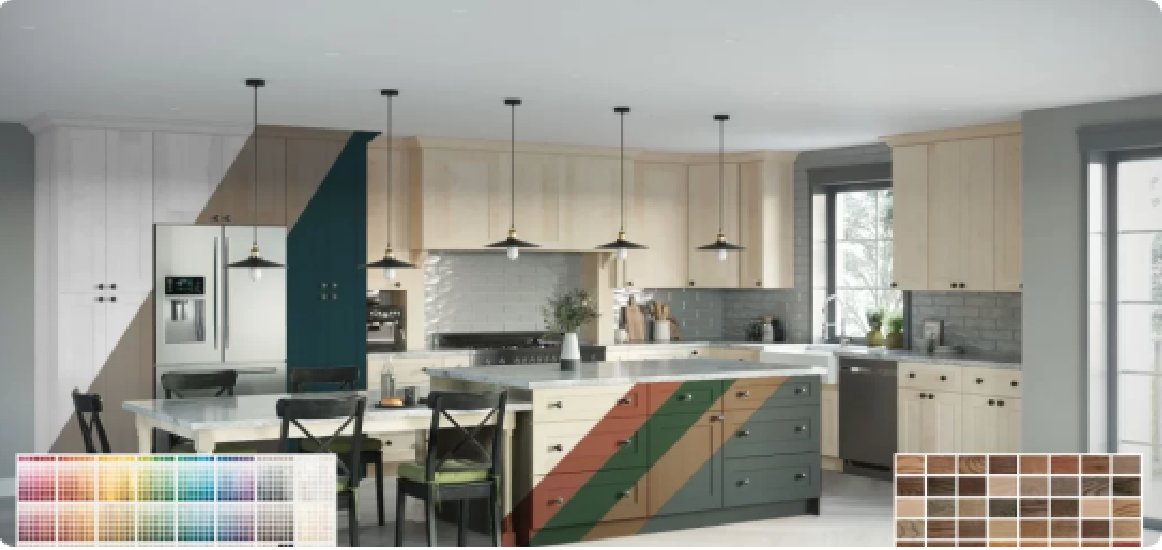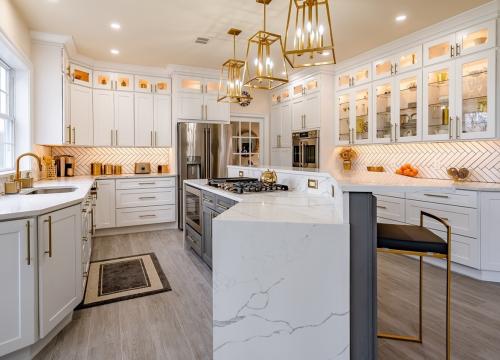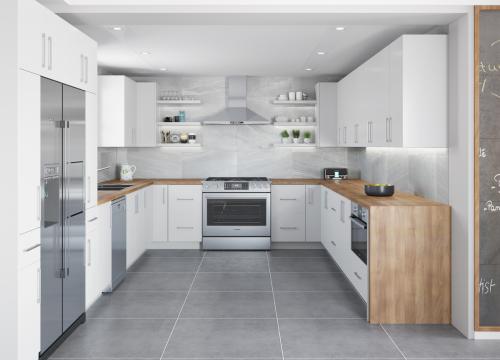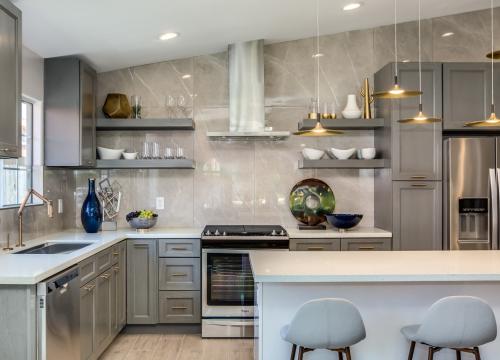
The Perfect Cabinet Solution for Your Home

kicker01

Ready to Assemble Cabinets

Save money and enjoy the satisfaction of building your own cabinets. Our RTA cabinets come with easy-to-follow instructions and all the hardware you need for a professional-looking kitchen.

  • check
    Easy to Assemble
  • check
    Save Money
  • check
    DIY Friendly
  • check
    CARB2 Compliant
  • check
    20 Year Limited Warranty
Shop Ready-to-Assemble Cabinets
kicker01

Pre-Assembled Cabinets

Get professional-quality cabinets delivered ready to install. Perfect for those who want convenience and professional craftsmanship without the assembly time.

  • check
    Ready to Install
  • check
    Save Time
  • check
    CARB2 Compliant
  • check
    Certified KCMA Cabinets
  • check
    20 Year Limited Warranty
Shop Pre-Assembled Cabinets

How It Works

Getting your dream kitchen is easier than you think.

01

Choose Your Style

Browse our cabinet collections and select the style that fits your vision.

02

Customize Your Order

Pick your sizes, colors, and hardware to create your perfect kitchen.

03

Choose Your Style

Your cabinets arrive ready to assemble with all hardware and instructions needed.

Need to See Colors & Textures in Person?

We understand that choosing materials is a big decision. That's why we offer samples for every category so you can see and feel the quality before you buy.

Cabinet Door Samples

Feel the quality of our cabinet doors with real wood samples showing actual finishes, textures, and construction.
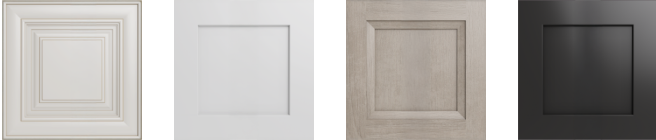
Order Door Samples
Starting at $10.00
sample-doors

Outdoor Cabinet Samples

See our weather-resistant materials designed to withstand the elements while maintaining beauty and functionality.

Order Outdoor Samples
Starting at $4.99
sample-doors

Flooring Samples

Experience the look and feel of our premium flooring options from hardwood to luxury vinyl and everything in between.

Order Flooring Samples
Starting at $1.99
sample-doors

Closet Samples

See the quality materials and finishes available for our custom closet organization systems.

Order Closet Samples
Starting at $2.99
sample-doors

Backsplash Samples

Touch and see our beautiful backsplash materials including subway tiles, natural stone, and modern designs.

Order Backsplash Samples
Starting at $2.99
sample-doors

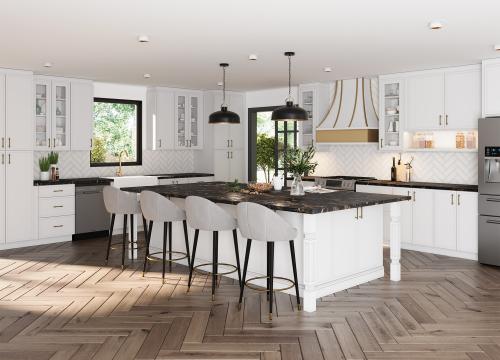
Popular Cabinet Styles

Discover the styles our customers love most.
See The RTA Difference

Beautiful cabinets. Incredible construction.

Watch our video to see why customers choose The RTA Store.

Special Offers & Financing

Beautiful cabinets. Incredible construction.
Specials 01

Spring Sale

Save up to 30% on select cabinet collections through the end of the month.

Shop Sale
Specials 01

0% Financing

Qualified buyers can get 0% APR financing for up to 12 months on orders over $2,500.

Learn More
Specials 01

Free Shipping

Orders over $999 ship free to your door. Assembly and installation services available.

Shop Now

Helpful Resources

Tools and guides to help you plan and execute your project.
VIEW ALL GUIDES
Specials 01

Kitchen Planning Guide

Everything you need to know about planning your kitchen renovation project.

Read More
Specials 01

Cabinet Assembly Guide

Step-by-step instructions and video tutorials for assembling your cabinets.

Read More
Specials 01

Measuring & Ordering Guide

Learn how to properly measure your space and place your cabinet order.

Read More

What Our Customers Say

star star star star star

Jessica was simply the best at working and reworking our design with us, getting us within budget without sacrificing kitchen appeal! She even took the time to verify if our initial beverage fridge appliance would allow enough air gap around the sides for the cabinet layout we wanted! Wonderful agent and great service at the perfect price point!

James B.

star star star star star

I purchased my kitchen and am thrilled with how it is turning out. The design service is THE BEST and ensures you have everything you need!

Cynthia H.

star star star star star

The designer was very helpful during the design process of this cabinet project. As with every design, changes had to be made and she was more than willing to help with those changes. I did not feel like I was being oversold...in fact, I was offered ways to save money on the cabinet package. I would highly recommend The RTA Store and working with their design team to establish your project!

Troy L.

star star star star star

Phenomenal communication and customer service. I worked with a designer, and she helped me with various design ideas and responded quickly to questions and changes I requested. I cant wait to see my new cabinets all installed! The Co-CEO also reached out by email and was very helpful and friendly! Great company to work with.

Heather M.

Notes

Write here what you want others to know.

Link to our Hyva notebook with useful links, or write them here.

This page will be removed when needed, it's made just for example purposes.

Various

  • All migration, development stuff goes to Rta_Migration plugin as well as all database changes. We will uninstall it prior to live. Dont put in there code that should stay after site goes live.
  • Try not to inherit any previous code, let make it new and better.
  • All plugins should be in Rta namespace.
  • Make smaller updates, commits and PR-s.
  • Add "NOTE" comment if you need to explain something in the code or make a code backup. We will evaluate and delete those when close to live.

CSS

  • Changes to these base styles defined here are possible when it fits in wider picture, please edit them when you get to real example for using them. Lets make stable base styles as fast as possible, not to affect all down the line and to avoid miniscule edits of all single elements if base style dont work. Individual altered elements should be styled additionally to base styles.
  • Dont use styles in css files, use tailwind classes.
  • Dont put styles in css for individual elements, use tailwind classes in html itself. No unnecessary entries in style css, all should be done in templates.
  • Some methods used here are used only to confine page to one file or for easier copy/paste, should not be really used.

HTML and JS

  • All js should be in templates. See docs for multiple occurrences of same script on the page. We should not be putting js in cms pages and blocks anyway since that Cosmic security issue while back.
  • Lets try not to use cms blocks, pages full of html and even configuration stuff if its not necessary. So far we did not use majority of stuff we created for admin to be easily accessible for change. Since templates are not cached to much and we will doing changes anyway on prod if urgent, lets try to keep all in the code. We can evaluate this point during development.

.font-sans

Lorem ipsum dolor sit amet


.font-serif

Lorem ipsum dolor sit amet


h1

Lorem ipsum dolor sit amet


h2

Lorem ipsum dolor sit amet


h3

Lorem ipsum dolor sit amet


h4

Lorem ipsum dolor sit amet


h5

Lorem ipsum dolor sit amet

h6

Lorem ipsum dolor sit amet

p (default paragraph)

Lorem ipsum dolor sit amet, consectetur adipiscing eli. Lorem ipsum dolor sit amet, consectetur adipiscing eli.

Lorem ipsum dolor sit amet, consectetur adipiscing eli. Lorem ipsum dolor sit amet, consectetur adipiscing eli. Lorem ipsum dolor sit amet, consectetur adipiscing eli.

Lorem ipsum dolor sit amet, consectetur adipiscing eli. Lorem ipsum dolor sit amet, consectetur adipiscing eli. Lorem ipsum dolor sit amet, consectetur adipiscing eli. Lorem ipsum dolor sit amet, consectetur adipiscing eli.

Lorem ipsum dolor sit amet, consectetur adipiscing eli.

Lorem ipsum dolor sit amet, consectetur adipiscing eli.Lorem ipsum dolor sit amet, consectetur adipiscing eli. Lorem ipsum dolor sit amet, consectetur adipiscing eli. Lorem ipsum dolor sit amet, consectetur adipiscing eli.


Sans-Serif Font Weight: 300 (Light)

Lorem ipsum dolor sit amet, consectetur adipiscing eli. Lorem ipsum dolor sit amet, consectetur adipiscing eli. Lorem ipsum dolor sit amet, consectetur adipiscing eli.

Sans-Serif Font Weight: 400 (Normal)

Lorem ipsum dolor sit amet, consectetur adipiscing eli. Lorem ipsum dolor sit amet, consectetur adipiscing eli. Lorem ipsum dolor sit amet, consectetur adipiscing eli.

Sans-Serif Font Weight: 500 (Medium)

Lorem ipsum dolor sit amet, consectetur adipiscing eli. Lorem ipsum dolor sit amet, consectetur adipiscing eli. Lorem ipsum dolor sit amet, consectetur adipiscing eli.

Sans-Serif Font Weight: 600 (Semi-Bold)

Lorem ipsum dolor sit amet, consectetur adipiscing eli. Lorem ipsum dolor sit amet, consectetur adipiscing eli. Lorem ipsum dolor sit amet, consectetur adipiscing eli.

Sans-Serif Font Weight: 700 (Bold)

Lorem ipsum dolor sit amet, consectetur adipiscing eli. Lorem ipsum dolor sit amet, consectetur adipiscing eli. Lorem ipsum dolor sit amet, consectetur adipiscing eli.

Sans-Serif Font Weight: 800 (Black)

Lorem ipsum dolor sit amet, consectetur adipiscing eli. Lorem ipsum dolor sit amet, consectetur adipiscing eli. Lorem ipsum dolor sit amet, consectetur adipiscing eli.


ul li

  • Lorem ipsum dolor sit amet
  • Lorem ipsum dolor sit amet
  • Lorem ipsum dolor sit amet

ul.disc li

  • Lorem ipsum dolor sit amet
  • Lorem ipsum dolor sit amet
  • Lorem ipsum dolor sit amet

ul.decimal li

  • Lorem ipsum dolor sit amet
  • Lorem ipsum dolor sit amet
  • Lorem ipsum dolor sit amet

.info

Some information to display to the customer.


hr (default)


hr.dashed


hr.text


hr.symbol


text-primary

Example Text

text-primary-lighter

Example Text

text-primary-darker

Example Text

text-secondary (default)

Example Text

text-secondary-lighter (default)

Example Text

text-secondary-darker (default)

Example Text

text-rtablue

Example Text

text-rtablue-bright

Example Text

text-rtablue-brighter

Example Text

text-rtablue-light

Example Text

text-rtablue-lighter

Example Text

text-rtablue-darker

Example Text

text-rtared

Example Text

text-rtared-lighter

Example Text

text-rtared-darker

Example Text

bg-primary

bg-primary-light

bg-primary-lighter

bg-primary-bright


bg-secondary

bg-secondary-bright

bg-secondary-darker


bg-container

bg-container-lighter

bg-container-darker

border-primary

border-primary-lighter


border-secondary

border-secondary-lighter

border-secondary-darker


border-container

border-container-lighter

border-container-darker

Basic button styles

.btn

.btn (focus)

.btn (disabled)


.btn.btn-primary

.btn.btn-primary (focus)

.btn.btn-primary (disabled)


.btn.btn-primary-light

.btn.btn-primary-light (focus)

.btn.btn-primary-light (disabled)


.btn.btn-secondary

.btn.btn-secondary (focus)

.btn.btn-secondary (disabled)


.btn.btn-white

.btn.btn-secondary (focus)

.btn.btn-secondary (disabled)

.btn.btn-white.btn-transparent

Additional button classes, can be combined

.btn.wide

.btn.icon

.btn.bordered

.btn.small


.btn.btn-primary.wide

.btn.btn-primary.icon

.btn.btn-primary.bordered

.btn.btn-primary.small


.btn.btn-secondary.wide

.btn.btn-secondary.icon

.btn.btn-secondary.bordered

.btn.btn-secondary.small

Using .btn.btn-primary as an example

.btn.btn-primary.wide.icon

.btn.btn-primary.wide.bordered

.btn.btn-primary.bordered.icon

.btn.btn-primary.bordered.wide.icon


.btn.btn-primary.wide.small

.btn.btn-primary.icon.small

.btn.btn-primary.bordered.small


.btn.btn-primary.wide.icon.small

.btn.btn-primary.wide.bordered.small

.btn.btn-primary.bordered.icon.small

.btn.btn-primary.bordered.wide.icon.small

Basic link styles, same as buttons.

Use paragraph as wrapper for normal links to avoid applying styles to all links on site, such as header, footer or various menu items. For others, just use btn classes.

a (focus)

Custom link

a.disabled

Custom link


a.btn (focus)

Custom link

a.btn.disabled

Custom link

a.btn.btn-primary

Custom link

a.btn.btn-primary (focus)

Custom link

a.btn.btn-primary.disabled

Custom link

a.btn.btn-secondary

Custom link

a.btn.btn-secondary (focus)

Custom link

a.btn.btn-secondary (disabled)

Custom link

Additional link classes, can be combined, same as buttons


a.btn.wide

Custom link

a.btn.icon

Custom link

a.btn.bordered

Custom link

a.btn.small

Custom link

a.btn.btn-primary.wide

Custom link

a.btn.btn-primary.icon

Custom link

a.btn.btn-primary.bordered

Custom link

a.btn.btn-primary.small

Custom link

a.btn.btn-secondary.wide

Custom link

a.btn.btn-secondary.icon

Custom link

a.btn.btn-secondary.bordered

Custom link

a.btn.btn-secondary.small

Custom link

Using .btn.btn-primary as an example

a.btn.btn-primary.wide.icon

Custom link

a.btn.btn-primary.wide.bordered

Custom link

a.btn.btn-primary.bordered.icon

Custom link

a.btn.btn-primary.bordered.wide.icon

Custom link

a.btn.btn-primary.wide.small

Custom link

a.btn.btn-primary.bordered.small

Custom link

a.btn.btn-primary.icon.small

Custom link

a.btn.btn-primary.wide.icon.small

Custom link

a.btn.btn-primary.wide.bordered.small

Custom link

a.btn.btn-primary.bordered.icon.small

Custom link

a.btn.btn-primary.bordered.wide.icon.small

Custom link

Input Fields

All inputs must be wrapped in a DIV with the "field" and "field-reserved" classes. Inputs must also use the "form-input" class. Labels must use the "form-label" class.


Radio

Radio input elements require the "form-radio" class. It is advised to use the "align-middle" class on the following Label element.


Checkbox

Checkbox input elements require the "form-checkbox" class. As with radio inputs, "align-middle" is advised for the following Label element.


Date & Time Pickers

There is no current way to style the "picker" pop-up elements. Those are controlled by the browser and change according to screen size, interface, operating system, etc.